De-clouding Bluetooth smart scales
Having a look at the BLE communications between iOS app and a physical device- Mar 18, 2024
- 8 min read
- #bluetooth
- #ble
- #picooc
- #smarthome
- #mitm
There is one phrase, upon hearing which your mind instantly falls into a state of existential horror.
A phrase that brings no good consenquences, nor good time.
Making fucking smart home connected appliances interoperate
So I have scales. Not the dragon kind, the body-weighing kind.
And being a piece of modern technology, these scales have an app. Of course they do.
Полный Picooc1
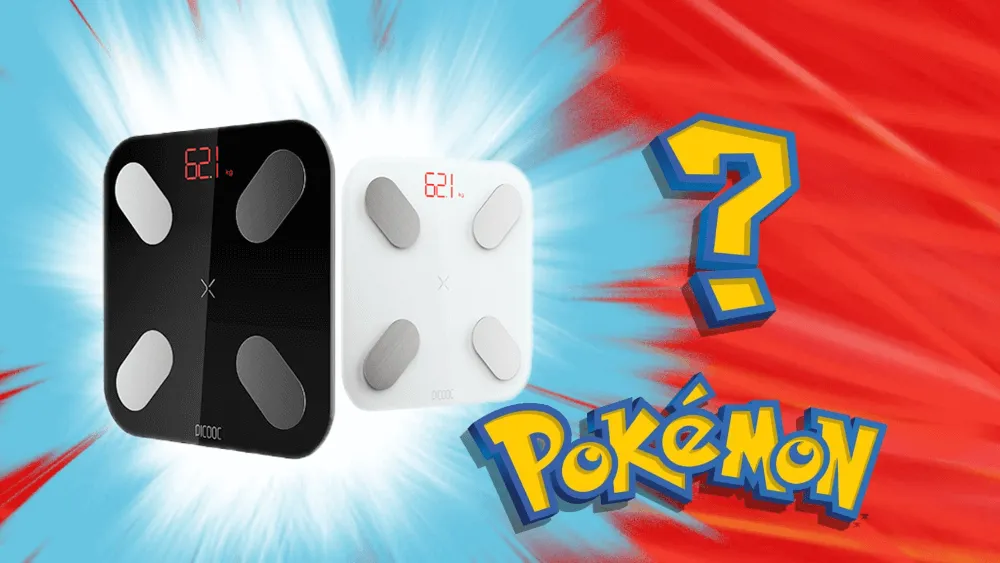
The scales in question is Picooc Mini. A “smart” device that tells you your weight and some body composition parameters like a muscle mass (of which I have not a lot).
So, about the app. In the app you can log your measurements and get recommendations about your health. Also the app stores all your measurements somewhere “in the cloud”. Yeeeeah…
And now for the great part.
While researching some information about my device, I’ve stumbled upon a comment where a guy tells a story of how his scales was fucking banned 🔗 by the manufacturer, for the crime of swapping SIM in his phone.

Existing solutions
So, the idea was to find some sort of premade Home Assistant integration, which will listen for the data from the scales via Bluetooth dongle and log them locally, effectively de-clouding the scales.
Quick google search revealed that not only there is no integrations, but also there is couple of open issues on openScale 🔗’s2 Github…
The amount of information equals to almost none. No integrations, no OSS apps, only some BLE captures.
But at least there is an openScale’s guide 🔗 on capturing and understanding Bluetooth communications between scales and phone.
But we don’t look for the simple routes (like following the guides written by people who do understand what they’re doing), so to the next part.
Mac in the Middle
While my primary device is an Android phone, capturing bluetooth communications on Android is a royal PITA (but if you decide to go this route, look up for the openScale’s guide on how to do so).
So I’ve looked around the house and found some Apple devices lying around.
Turns out, capturing BLE on an iPhone/iPad is pretty trivial, here’s a list of required things:
- Bluetooth debug profile 🔗: look for Bluetooth and your kind of device, download and install from the device
- PacketLogger 🔗: download “Additional tools for Xcode”, it will be in the “Hardware” folder
- An appropriate USB cable
Connect your device to the Mac via cable and trust it. Then open PacketLogger and press “New iOS trace” in the File menu. You should see a realtime log of the packets.
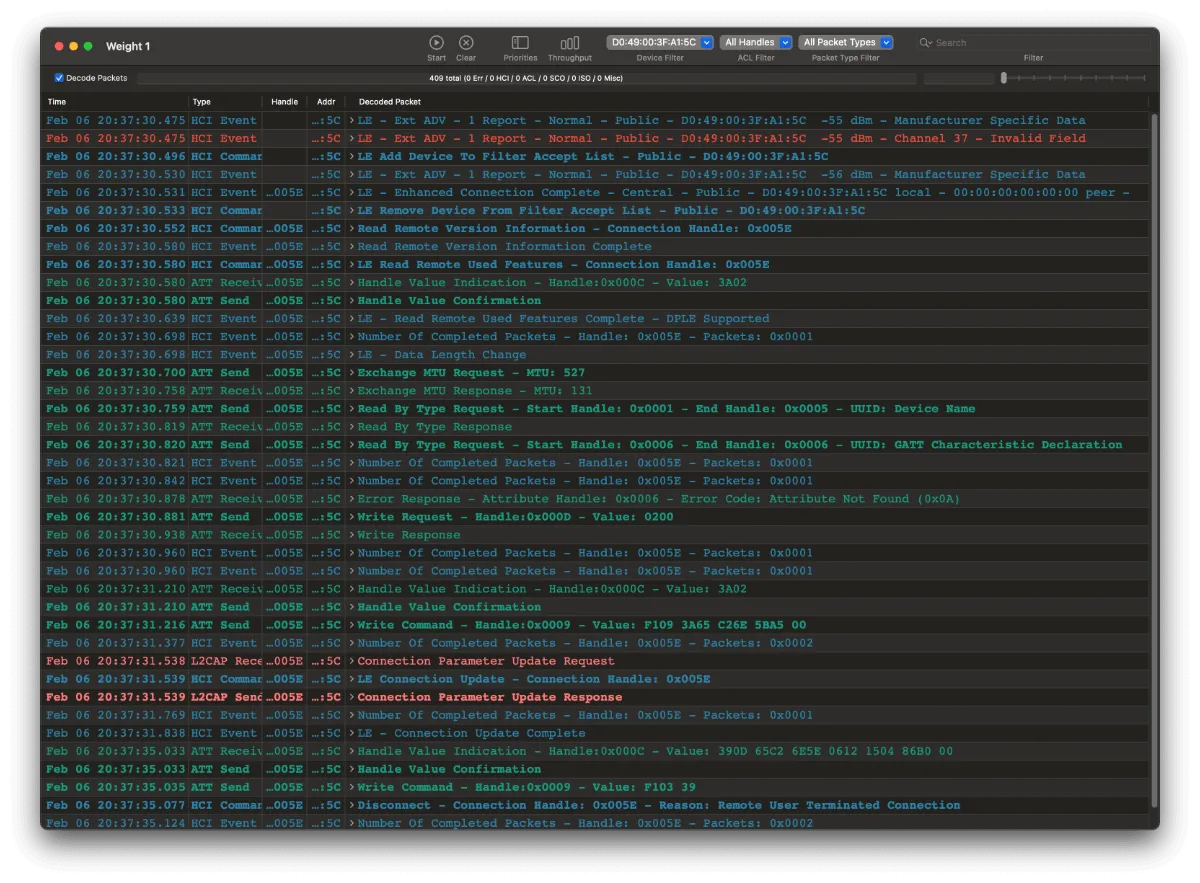
I’ve decided to capture these events:
- Pairing new device in the app
- App looking for device in measurement mode
- New measurement
Due to the nature of BLE devices, actually we only interested in the last part, but I’ve decided to record everything.
Lynx around and find out
From now on, you’ll sometimes see parts of pretty bad Rust code, and statements dreamed up by the utterly deranged of the person who only has superficial understanding of Bluetooth, BLE and what he is doing.
Let’s have a look at our captures.
In PacketLogger there is ability to filter by device addr. In my captures there is only one device in this filter, my scales, and there is a pretty high chance that your situation will be the same.
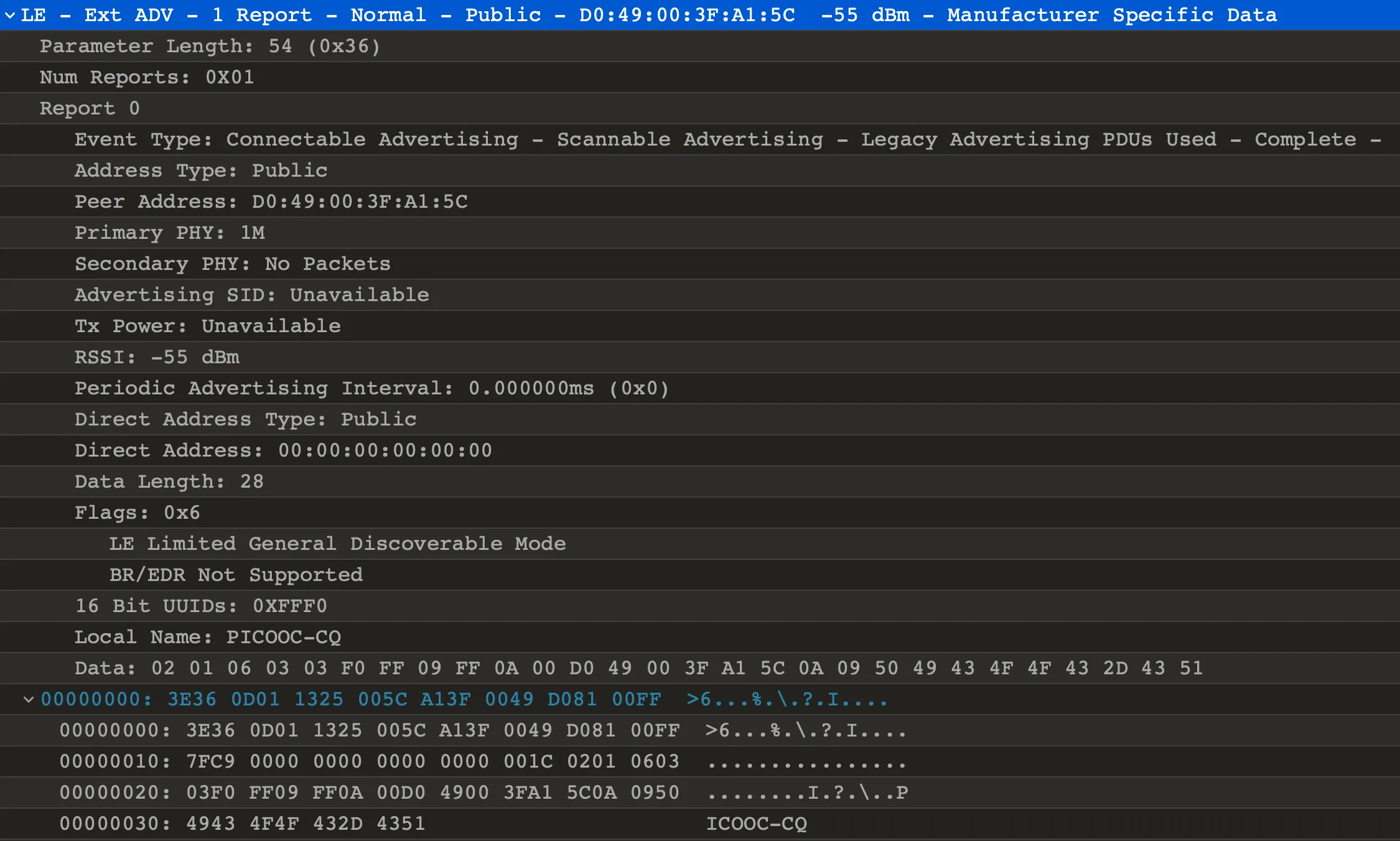
Let’s have a look at our first piece of evidence:
A quick PacketLogger tip: it doesn’t have line wrapping, nor horizontal scroll.
One day I was wondering for 1/2 hour why the dumps from two days ago has 9 bytes going out, and dumps from today only have 6.
Because you need to make it’s window wider.
Or don’t be an idiot, but that’s not an option for me.
This packet is a BLE advertisement. Here we can see that our device advertises itself as a Connectable and Scannable, has the addr of D0:49:00:3F:A1:5C (please don’t hack my scales, thank you), and advertised name of PICOOC-PQ.
Equipped with that name we can try to gather more info about our scales programmatically.
Quick google search revealed btleplug 🔗 by the legendary qDot 🔗, who is maintainer of buttplug.io 🔗.
So let’s scan for some devices.
Intermission: Wireshark
Sometimes Wireshark is a bit more useful than PacketLogger. If you prefer it, Wireshark can open PacketLogger captures directly.
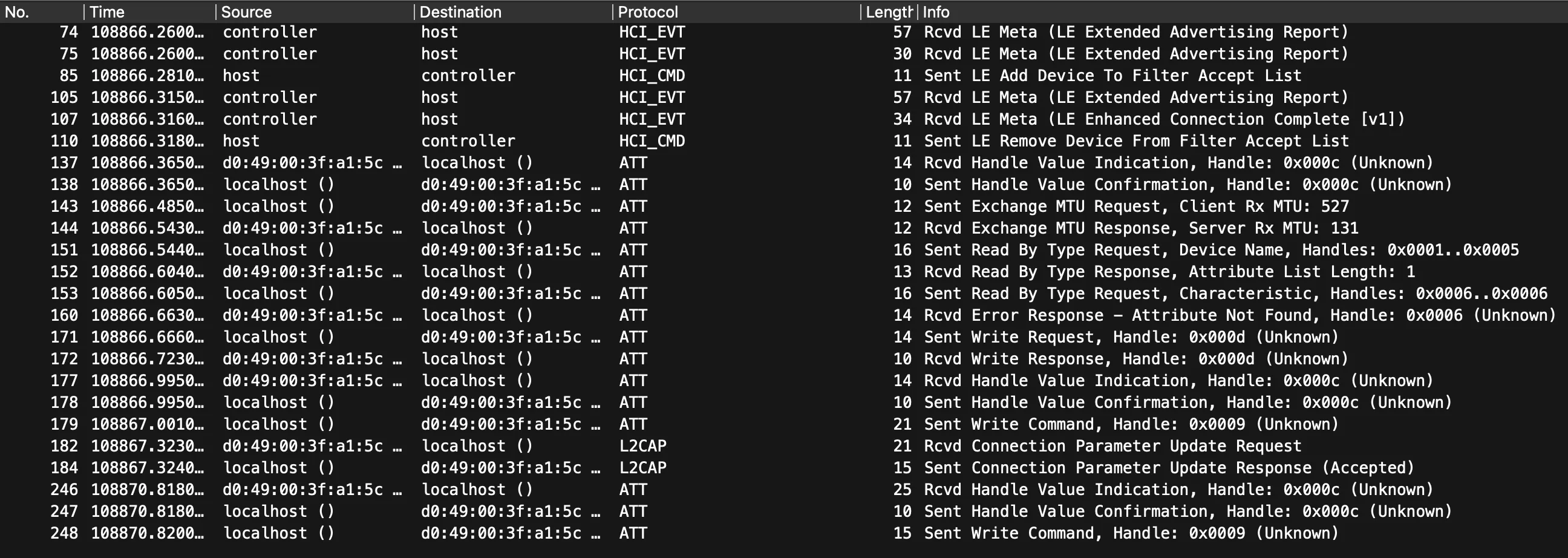
Here’s filter example for keeping only data that belongs to specific BT address:
bthci_evt.bd_addr == D0:49:00:3F:A1:5C || bthci_acl.dst.bd_addr == D0:49:00:3F:A1:5C || bthci_acl.src.bd_addr == D0:49:00:3F:A1:5C || bthci_cmd.bd_addr == D0:49:00:3F:A1:5CScanning devices
Equipped with my lacking knowledge of Rust, and with a library meant to control sextoys, here’s some results:
while let Some(event) = events.next().await {    match event {        CentralEvent::DeviceDiscovered(id) => {            let peripheral = central.peripheral(&id).await?;
            let properties = peripheral.properties().await?.unwrap();
            if !properties                .local_name                .is_some_and(|name| name.contains("PICOOC"))            {                continue;            }
            println!("Discovered device {:?}", id);
return Ok(Some(peripheral)); } _ => {} }}println!("Peripheral info {:?}", peripheral);
peripheral.connect().await?;peripheral.discover_services().await?;
println!("Characteristics: {:?}", peripheral.characteristics());Note: most code snippets throughout post are incomplete. The link to complete source code will be in the end
We listen for the BLE devices to announce themselves, and then filter their names by the “PICOOC” string.
That’s how it looks:
Scanning for devicesDiscovered device PeripheralId(c92f7265-4b01-26f3-6ca0-5ea2378f9cf7)Peripheral info Peripheral { uuid: c92f7265-4b01-26f3-6ca0-5ea2378f9cf7, services: Mutex { data: {}, poisoned: false, .. }, properties: Mutex { data: PeripheralProperties { address: 00:00:00:00:00:00, address_type: None, local_name: Some("PICOOC-CQ"), tx_power_level: None, rssi: None, manufacturer_data: {10: [208, 73, 0, 63, 161, 92]}, service_data: {}, services: [0000fff0-0000-1000-8000-00805f9b34fb] }, poisoned: false, .. }, message_sender: Sender { closed: false } }Characteristics: {Characteristic { uuid: 0000fff1-0000-1000-8000-00805f9b34fb, service_uuid: 0000fff0-0000-1000-8000-00805f9b34fb, properties: READ | INDICATE }, Characteristic { uuid: 0000fff2-0000-1000-8000-00805f9b34fb, service_uuid: 0000fff0-0000-1000-8000-00805f9b34fb, properties: WRITE_WITHOUT_RESPONSE }}Here we can notice some main things:
- macOS doesn’t like to give out mac addresses of Bluetooth devices to applications
- …so the manufacturer conveniently put it into announcement, you can see it in
manufacturer_datain decimal form :) - We can also see list of advertised services key, and there is only one of them,
0xFFF0 - That service has two characteristics3:
0xFFF1with indicated capabilities for reading data and0xFFF2for writing
Quick google search reveals to us, that 0xFFF0 is most likely to be an UART via BLE, so that’s something!
Disappointing numbers
Because I need only the weight (and because body measurement data is calculated inside app, so the scales most likely only report impedance), the process is pretty straightforward:
- Build request
- Wait for the response
I’ve decided not to do a complete reverse-engineering of a protocol encoding (mostly due to lazyness), but here’s some hints on a request and response:
The request consists of a header (F1 09 3A), big-endian unix timestamp (in seconds), and a trailer (A5 00):
F1 09 3A 65 F7 4B A2 A5 00^ ^ ^| | || | | Trailer| | Timestamp| Headerfn build_request() -> Vec<u8> { let time = SystemTime::now() .duration_since(UNIX_EPOCH) .unwrap() .as_secs();
let time_bytes = (time as i32).to_be_bytes();
let mut packet: Vec<u8> = vec![0xF1, 0x09, 0x3A];
packet.extend_from_slice(&time_bytes); packet.extend_from_slice(&[0xA5, 0x00]);
println!("Request packet: {:#04x?}", packet);
packet}Request is sent to a “TX” characteristic, which is 0xFFF1.
The response has the header of 39 0D, followed by timestamp of a measurement in the same big endian format, and then by a weight, multiplied by 20. The rest of the bytes most likely contains impedance data and some sort of checksum, but I didn’t feel like deciphering the remainder.
39 0D 65 F7 4B A5 06 56 15 04 86 FC 00^ ^ ^ ^| | | || | | | Probably impedance, checksum, and NUL as a terminator| | | Weight| | Timestamp| HeaderHere’s parsing code:
let timestamp = i32::from_be_bytes(packet[2..6].try_into().unwrap());let weight = i32::from_be_bytes([0, 0, packet[6], packet[7]]) as f32 / 20.0;We’re subscribing for a response on a “RX” characteristic, 0xFFF2.
Here’s full code for sending request and waiting for response:
let chars = peripheral.characteristics();
let rx_char = chars    .iter()    .find(|c| c.uuid == uuid_from_u16(0xFFF1))    .expect("Cannot find RX characteristic");
let tx_char = chars    .iter()    .find(|c| c.uuid == uuid_from_u16(0xFFF2))    .expect("Cannot find TX characteristic");
println!("Sending request");
let _ = peripheral    .write(&tx_char, &build_request(), WriteType::WithoutResponse)    .await?;
println!("Listening for responses");
peripheral.subscribe(&rx_char).await?;
let mut notifications = peripheral.notifications().await?;
if let Some(response) = notifications.next().await {    let parsed_response = parse_response(&response.value);
    println!("Response: {:#?}", parsed_response.unwrap());}
And here’s the final result:
Scanning for devicesDiscovered device PeripheralId(c92f7265-4b01-26f3-6ca0-5ea2378f9cf7)Sending requestRequest packet: [0xf1,0x09,0x3a,0x65,0xf7,0x4b,0xa2,0xa5,0x00]Listening for responsesResponse packet: [0x39,0x0d,0x65,0xf7,0x4b,0xa5,0x06,0x56,0x15,0x04,0x86,0xfc,0x00]Response: ScalesResponse { timestamp: 1710705573, weight: 81.1,}Hooray! Here we have our measurement, without using manufacturer’s app! :)
Next steps
While the main goal of gathering data from the scales is reached, here’s some stuff that still lacking:
- Home Assistant integration
- Measurements in freedom units (lbs)
- Support for more models (I only have one, so…)
- Calculating other metrics based on reported impedance and weight (but that requires RE-ing native binary, which I don’t really want to do)
And here’s the full code:
https://gist.github.com/4ndv/fa19b2183c3154634892b12a6cabb867 🔗
Obligatory disclaimer:
I’m not responsible for any damaged, warranty-voided and/or exploded personal body measurement devices afflicted by this code and/or following this article.
Until next time ✌️!
Footnotes
-
Untranslatable pun, mocking on similarities between “picooc” and russian colloquial synonym for “penis” ↩
-
Opensource Android application for various kinds of smart body scales ↩
-
A “characteristics” in BLE are values addressable by their UUID, which can operate in different modes (i.e. reading, writing, notifying of a new values) ↩
Comments