Fixing "tool 'xcodebuild' requires Xcode" without installing Xcode
Short guide on how to fix frequent xcodebuild error- May 4, 2019
- 1 min read
- #guides
- #xcodebuild
- #nodejs
- #macos
- #xcode
Warning
This post was written more than 5 years ago, and its contents may be out of date
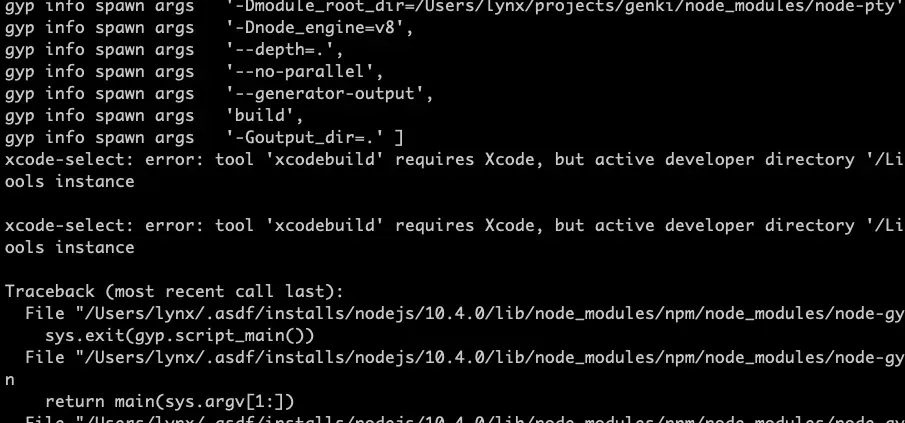
During some node.js stuff i’ve occured this error on packages build:
xcode-select: error: tool 'xcodebuild' requires Xcode, but active developer directory '/Library/Developer/CommandLineTools' is a command line tools instanceBut in reality, Xcode is actually not always required to successfully build packages.
And here’s how to trick it:
In order to success, build process requires xcodebuild to return correct version information, so we just create a fake xcodebuild that return version and pass everything else to original file.
Step 1. cd /usr/bin
Step 2. Copy original xcodebuild: sudo mv xcodebuild xcodebuild.orig
Step 3. Create a fake xcodebuild:
sudo vim xcodebuildThen paste this1:
#!/bin/bashif [[ $1 == '-version' ]]; then echo "Xcode 10.2.1" echo "Build version 10E1001"else /usr/bin/xcodebuild.bak $@fiStep 4. Make it executable: sudo chmod +x xcodebuild
Now you can install your packages!
Comments